I spent today setting up something I should have done weeks ago. It's called a CLAUDE.md file. It lives in your project root. And it's the difference between an AI that needs constant hand-holding and one that actually works like a co-designer.
The problem I kept running into
I've been using Claude Code for a few months now — building prototypes, converting Figma designs to React, shipping fast. But every session felt like I was re-explaining myself. Same corrections. Same misunderstandings.
Same visual drift where Claude would "fix" things I didn't ask it to touch. I wasn't the only one. Mengxue Bi wrote about this exact problem in her LinkedIn article on workflow orchestration for designers. She identified three failure modes that hit close to home:
Visual drift — AI changes things you didn't ask it to change.
Misread intentions — you said one thing, it did another.
No feedback loop — you correct the same mistake twice, then a third time.
Her solution: treat it like onboarding a new teammate. Write it down.
What CLAUDE.md actually is
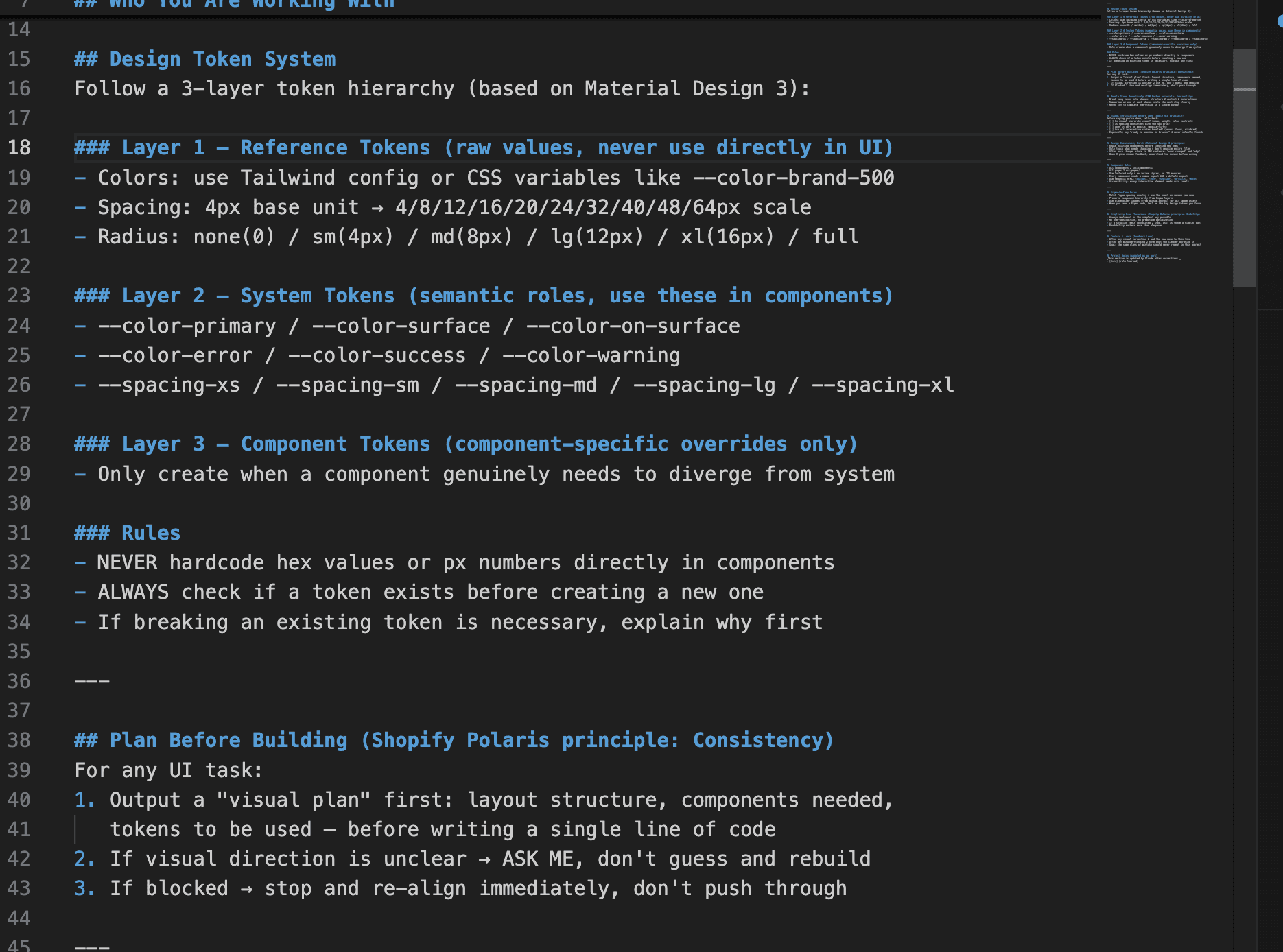
It's a plain markdown file that Claude Code reads at the start of every session. Think of it as your AI's onboarding doc — your design principles, your token system, your rules for how to handle ambiguity.
Mine ended up drawing from three design systems I respect:
Google Material Design 3 — for the token hierarchy (Reference → System → Component). Raw values never go directly into components. Everything flows through semantic names.
Shopify Polaris — for the four principles that kept it grounded: usability, consistency, accessibility, scalability. Especially the idea that "shared patterns reduce decision fatigue."
IBM Carbon — for scope management. Break long tasks into phases. Summarize at the end of each one. Never try to finish everything at once.
The sections that matter most
Here's what ended up in mine, and why each piece earns its place:
Plan before building. For any UI task, Claude has to output a visual plan first — layout, components, tokens — before writing a single line of code. This catches misinterpretations before they become wasted time.
Design consistency first. Reuse existing tokens. Only touch what needs changing. After each change, state in one sentence what changed and why. This killed the visual drift problem immediately.
Capture and learn. After any correction, the rule gets added to the file. The same mistake should not repeat in this project. This one is the most underrated — it compounds.
Responsive rules (my addition). Since I'm building web, not mobile: mobile-first always, 1280px max width, hamburger on mobile, Tailwind responsive prefixes everywhere.
The setup (if you want to try it)
What you need:
Claude Pro subscription
Claude Code: npm install -g @anthropic-ai/claude-code
Figma MCP: claude mcp add figma --transport http https://mcp.figma.com/mcp
A React + Vite project to work in
Then create CLAUDE.md in your project root. Start with the basics: who you are and how you think, your token system, your component rules. Add to it every time you make a correction. It's a living document.
Mengxue's original instruction template is worth reading directly — she shared it publicly in her LinkedIn article. I built on top of it by layering in design system principles from Material, Polaris, and Carbon.
My actual CLAUDE.md (copy it)
Here's the full file I'm using in this project. Steal it, modify it, make it yours.
# CLAUDE.md — Workflow Orchestration for Design-Driven Development
# Project: name-your-own-project
# Designer: your-name | Stack: React + Vite + Tailwind CSS

---

## Who You Are Working With
I'm a product designer, not an engineer. I think in components,
visual hierarchy, and user flows — not in abstractions or clever
architecture. Optimize for alignment with my design intent, not
engineering elegance.

---

## Project Context
- This is a WEB application, not a mobile app
- Designer: your-name | product builder who ships end-to-end
- Reference: consumer SaaS, e-commerce feel, add-on anything you want

---

## Responsive Rules (Mobile-First)
- Always build mobile-first, then scale up
- Breakpoints: sm(640px) / md(768px) / lg(1024px) / xl(1280px)
- Max content width: 1280px, always centered with mx-auto px-4
- Navigation: hamburger menu on mobile → full nav on lg+
- Grid: 1 col mobile → 2 col md → 3-4 col lg/xl
- Never hardcode widths — use w-full, max-w-*, or grid

---

## Design Token System
Follow a 3-layer token hierarchy (based on Material Design 3):

### Layer 1 — Reference Tokens (raw values, never use directly)
- Colors: CSS variables like --color-brand-500
- Spacing: 4px base unit → 4/8/12/16/20/24/32/40/48/64px
- Radius: none(0) / sm(4px) / md(8px) / lg(12px) / xl(16px) / full

### Layer 2 — System Tokens (use these in components)
- --color-primary / --color-surface / --color-on-surface
- --color-error / --color-success / --color-warning
- --spacing-xs through --spacing-xl

### Layer 3 — Component Tokens (overrides only)
- Only create when a component genuinely needs to diverge

### Rules
- NEVER hardcode hex values or px numbers directly
- ALWAYS check if a token exists before creating a new one
- If breaking a pattern is necessary, explain why first

---

## Plan Before Building
1. Output a visual plan first — layout, components, tokens
2. If direction is unclear → ASK ME, don't guess
3. If blocked → stop and re-align, don't push through

---

## Handle Scope Proactively
- Break long tasks into phases: structure → content → interactions
- Summarize at end of each phase, state the next step
- Never complete everything in a single output

---

## Visual Verification Before Done
- [ ] Is visual hierarchy clear?
- [ ] Is spacing on the 4px grid?
- [ ] Does it work mobile-first?
- [ ] Are hover, focus, disabled states handled?
- Say "ready to preview in browser" — never silently finish

---

## Design Consistency First
- Reuse existing components before creating new ones
- Only touch what needs changing — don't rewrite entire files
- After each change: one sentence on what changed and why
- Understand the intent before acting on feedback

---

## Component Rules
- All components → src/components/
- All pages → src/pages/
- Tailwind only — no inline styles, no CSS modules
- Semantic HTML: button, nav, section, article, main
- Every interactive element needs aria labels

---

## Figma-to-Code Rules
- Match Figma spacing exactly
- Preserve component hierarchy from Figma layers
- Placeholder images from picsum.photos
- When reading a Figma node, list the key tokens you found
- Figma designs are desktop — always adapt to mobile-first

---

## Simplicity Over Cleverness
- Simplest implementation always wins
- No over-abstraction, no premature optimization
- Readability over elegance

---

## Capture & Learn
- After any correction → add the new rule here
- After any misunderstanding → note the clearer phrasing
- Same mistake should never repeat in this project

---

## Project Notes
_Updated by Claude after corrections._
- [date] [rule learned]
# CLAUDE.md — Workflow Orchestration for Design-Driven Development
# Project: name-your-own-project
# Designer: your-name | Stack: React + Vite + Tailwind CSS

---

## Who You Are Working With
I'm a product designer, not an engineer. I think in components,
visual hierarchy, and user flows — not in abstractions or clever
architecture. Optimize for alignment with my design intent, not
engineering elegance.

---

## Project Context
- This is a WEB application, not a mobile app
- Designer: your-name | product builder who ships end-to-end
- Reference: consumer SaaS, e-commerce feel, add-on anything you want

---

## Responsive Rules (Mobile-First)
- Always build mobile-first, then scale up
- Breakpoints: sm(640px) / md(768px) / lg(1024px) / xl(1280px)
- Max content width: 1280px, always centered with mx-auto px-4
- Navigation: hamburger menu on mobile → full nav on lg+
- Grid: 1 col mobile → 2 col md → 3-4 col lg/xl
- Never hardcode widths — use w-full, max-w-*, or grid

---

## Design Token System
Follow a 3-layer token hierarchy (based on Material Design 3):

### Layer 1 — Reference Tokens (raw values, never use directly)
- Colors: CSS variables like --color-brand-500
- Spacing: 4px base unit → 4/8/12/16/20/24/32/40/48/64px
- Radius: none(0) / sm(4px) / md(8px) / lg(12px) / xl(16px) / full

### Layer 2 — System Tokens (use these in components)
- --color-primary / --color-surface / --color-on-surface
- --color-error / --color-success / --color-warning
- --spacing-xs through --spacing-xl

### Layer 3 — Component Tokens (overrides only)
- Only create when a component genuinely needs to diverge

### Rules
- NEVER hardcode hex values or px numbers directly
- ALWAYS check if a token exists before creating a new one
- If breaking a pattern is necessary, explain why first

---

## Plan Before Building
1. Output a visual plan first — layout, components, tokens
2. If direction is unclear → ASK ME, don't guess
3. If blocked → stop and re-align, don't push through

---

## Handle Scope Proactively
- Break long tasks into phases: structure → content → interactions
- Summarize at end of each phase, state the next step
- Never complete everything in a single output

---

## Visual Verification Before Done
- [ ] Is visual hierarchy clear?
- [ ] Is spacing on the 4px grid?
- [ ] Does it work mobile-first?
- [ ] Are hover, focus, disabled states handled?
- Say "ready to preview in browser" — never silently finish

---

## Design Consistency First
- Reuse existing components before creating new ones
- Only touch what needs changing — don't rewrite entire files
- After each change: one sentence on what changed and why
- Understand the intent before acting on feedback

---

## Component Rules
- All components → src/components/
- All pages → src/pages/
- Tailwind only — no inline styles, no CSS modules
- Semantic HTML: button, nav, section, article, main
- Every interactive element needs aria labels

---

## Figma-to-Code Rules
- Match Figma spacing exactly
- Preserve component hierarchy from Figma layers
- Placeholder images from picsum.photos
- When reading a Figma node, list the key tokens you found
- Figma designs are desktop — always adapt to mobile-first

---

## Simplicity Over Cleverness
- Simplest implementation always wins
- No over-abstraction, no premature optimization
- Readability over elegance

---

## Capture & Learn
- After any correction → add the new rule here
- After any misunderstanding → note the clearer phrasing
- Same mistake should never repeat in this project

---

## Project Notes
_Updated by Claude after corrections._
- [date] [rule learned]
# CLAUDE.md — Workflow Orchestration for Design-Driven Development
# Project: name-your-own-project
# Designer: your-name | Stack: React + Vite + Tailwind CSS

---

## Who You Are Working With
I'm a product designer, not an engineer. I think in components,
visual hierarchy, and user flows — not in abstractions or clever
architecture. Optimize for alignment with my design intent, not
engineering elegance.

---

## Project Context
- This is a WEB application, not a mobile app
- Designer: your-name | product builder who ships end-to-end
- Reference: consumer SaaS, e-commerce feel, add-on anything you want

---

## Responsive Rules (Mobile-First)
- Always build mobile-first, then scale up
- Breakpoints: sm(640px) / md(768px) / lg(1024px) / xl(1280px)
- Max content width: 1280px, always centered with mx-auto px-4
- Navigation: hamburger menu on mobile → full nav on lg+
- Grid: 1 col mobile → 2 col md → 3-4 col lg/xl
- Never hardcode widths — use w-full, max-w-*, or grid

---

## Design Token System
Follow a 3-layer token hierarchy (based on Material Design 3):

### Layer 1 — Reference Tokens (raw values, never use directly)
- Colors: CSS variables like --color-brand-500
- Spacing: 4px base unit → 4/8/12/16/20/24/32/40/48/64px
- Radius: none(0) / sm(4px) / md(8px) / lg(12px) / xl(16px) / full

### Layer 2 — System Tokens (use these in components)
- --color-primary / --color-surface / --color-on-surface
- --color-error / --color-success / --color-warning
- --spacing-xs through --spacing-xl

### Layer 3 — Component Tokens (overrides only)
- Only create when a component genuinely needs to diverge

### Rules
- NEVER hardcode hex values or px numbers directly
- ALWAYS check if a token exists before creating a new one
- If breaking a pattern is necessary, explain why first

---

## Plan Before Building
1. Output a visual plan first — layout, components, tokens
2. If direction is unclear → ASK ME, don't guess
3. If blocked → stop and re-align, don't push through

---

## Handle Scope Proactively
- Break long tasks into phases: structure → content → interactions
- Summarize at end of each phase, state the next step
- Never complete everything in a single output

---

## Visual Verification Before Done
- [ ] Is visual hierarchy clear?
- [ ] Is spacing on the 4px grid?
- [ ] Does it work mobile-first?
- [ ] Are hover, focus, disabled states handled?
- Say "ready to preview in browser" — never silently finish

---

## Design Consistency First
- Reuse existing components before creating new ones
- Only touch what needs changing — don't rewrite entire files
- After each change: one sentence on what changed and why
- Understand the intent before acting on feedback

---

## Component Rules
- All components → src/components/
- All pages → src/pages/
- Tailwind only — no inline styles, no CSS modules
- Semantic HTML: button, nav, section, article, main
- Every interactive element needs aria labels

---

## Figma-to-Code Rules
- Match Figma spacing exactly
- Preserve component hierarchy from Figma layers
- Placeholder images from picsum.photos
- When reading a Figma node, list the key tokens you found
- Figma designs are desktop — always adapt to mobile-first

---

## Simplicity Over Cleverness
- Simplest implementation always wins
- No over-abstraction, no premature optimization
- Readability over elegance

---

## Capture & Learn
- After any correction → add the new rule here
- After any misunderstanding → note the clearer phrasing
- Same mistake should never repeat in this project

---

## Project Notes
_Updated by Claude after corrections._
- [date] [rule learned]
The bigger shift
What I'm realizing is that the skill isn't "prompt engineering."It's workflow design.
Engineers have been doing this for years — writing READMEs, linting rules, contribution guides. All of it is about making the environment smart so individuals don't have to repeat themselves.
Designers are just catching up. And CLAUDE.md is a good place to start.
Credit: The workflow orchestration framework in this post is based on Mengxue Bi's article on Claude Code and designer workflows, which I came across today and immediately stole from — with full appreciation.
Stack I used: Claude Code · Figma MCP · React · Vite · Tailwind CSS
Design token principles from Material Design 3, Shopify Polaris, IBM Carbon